
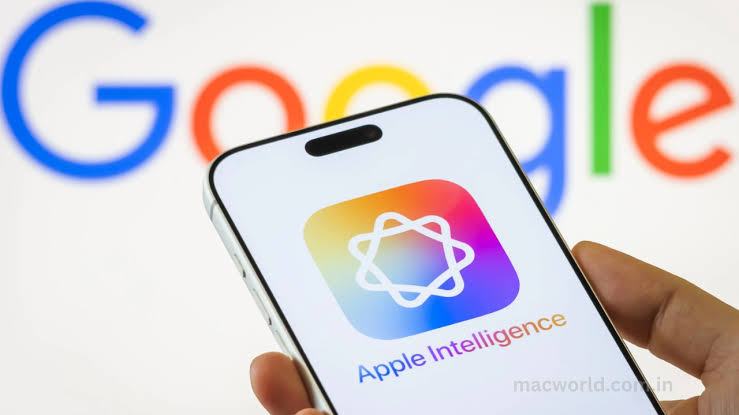
Google is introducing a new tool for macOS that allows users to chat instantly with its Gemini Mac app in any desktop window with a single keystroke. In doing so, the company introduces a direct competitor to Apple Intelligence and ChatGPT on the Mac desktop.
A major upgrade for the Gemini Mac app.
By default, long-pressing the Fn key opens a new Intelligent dictation tool that automatically transcribes everything you say, removing any “ums” and “ahs,” and inserts the results directly into your document.
However, you can also enable what the company refers to as “Screen-aware reasoning,” which allows Gemini to understand what is on your screen.
In an example video, Google shows how the user can speak long, complex instructions, optionally referring to files on
Multi-File Context and Zero-Copy Dictation In a single voice prompt, you could say something like: “Hey Gemini, I’m planning our team dinner for next Thursday at 6 p.m. Can you review the files to ensure the options fit within our budget guidelines...“ or “Oops, I meant Friday at 6:30 p.m. Also, could you find two great boba places nearby on Google Maps?” Without needing to open any files or apps, Gemini efficiently analyzed five local documents, ruled out a costly restaurant, and adjusted the schedule as per the user’s revision. With the Screen-Aware Reasoning feature, users can select text in any app and instruct Gemini to perform actions. For instance, asking it to “convert these notes into an executive summary” will result in the assistant adding the summarized text directly into the document. These capabilities reflect features seen in the company’s upcoming Googlebooks, utilizing an intelligent Magic Pointer tool that provides similar context-sensitive AI features well integrated into the desktop environment. With this update, some features are now available for Mac users. Google Gemini Mac App Vs. Private Cloud Compute By linking Gemini to the Fn key, it becomes a system-wide tool, seamlessly integrated into macOS as if it’s a native component rather than a separate application. What sets Gemini’s new assistant apart is its direct reading from the macOS Finder and seamless text output into open windows without needing to copy and paste. In contrast, ChatGPT Desktop requires users to paste results manually from a floating window, and neither ChatGPT nor Apple Intelligence can currently handle across-the-board multi-file synthesis directly from an interaction. However, a notable drawback is that the Gemini app operates solely as a cloud-based service through a personal Google account. This setup lacks the security benefits of Mac’s on-device models or Apple’s Private Cloud Compute service, which ensures data privacy even from Apple itself. On the other hand, users of the Gemini app must consent to data sharing according to Google‘s Gemini Apps Privacy Policy, which allows for data retention and human review by default. The Intelligent Dictation and Screen-Aware Reasoning updates to the Gemini Mac app are being rolled out globally starting July 29 in English, with plans to add more languages by 2026.
Comments